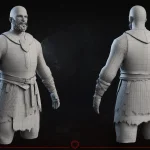




AI 3D model generators are getting good enough that the question is no longer “can they make something that looks like a 3D asset?” They can. The harder question is whether the result is usable in a real game pipeline.
So we tested the tools with that in mind. Not as a novelty. Not as a prompt-art contest. The practical question was simple: could an AI-generated model become a game asset without becoming more expensive to fix than it would be to build properly from the start?
The short answer: yes, but only in limited roles.
AI 3D tools are already useful for concept exploration, fast blockouts, secondary props, rough NPC ideas, and early production conversations. They are much less reliable for hero characters, rig-ready meshes, consistent art direction, optimized environments, modular kits, or any asset that needs to survive animation, LODs, collision, engine import, and review cycles.
That distinction matters. A model can look acceptable in a browser preview and still fail as a game asset.
What We Tested
We used the same creative direction across multiple tools and looked at the output through production criteria, not just visual appeal.
The test inputs included:
- A realistic medieval female character bust with a headscarf, tired face, layered clothing, and weathered materials.
- A stylized low-poly fantasy fireplace with chunky stonework, carved wood beams, an arched hearth, logs, and hand-painted material direction.
- Text prompts matching those references.
For each tool, image-input and text-input results should be read as separate tests. The same object can score very differently depending on whether the tool has a visual reference or only a text prompt.

Text prompt:
Realistic game-ready 3D character bust of a young medieval woman, pale skin, tired green-gray eyes, neutral serious expression, subtle facial asymmetry, short light blond hair partly hidden under a worn rust-orange cloth headscarf tied in a soft knot. She wears a weathered brown leather hooded cloak with a high padded collar, visible seams, buckles, rough fabric folds, dirt, scratches, and aged material details. Front-facing bust, head and shoulders only, natural proportions, realistic skin texture, PBR materials, detailed cloth wrinkles, production-ready 3D model, clean silhouette, high-quality textured asset.

Text prompt:
Stylized low-poly game-ready 3D fireplace asset, chunky medieval stone hearth with rounded uneven gray stones, arched firebox opening, wooden mantel beams and side supports made of warm brown carved timber, simple decorative starburst carvings on the corner blocks, small logs and dark coals inside the fireplace, semicircular stone floor base in front. Hand-painted fantasy style, exaggerated bevels, soft rounded shapes, visible stone blocks, warm wood grain, clean silhouette, PBR materials, optimized game asset, front three-quarter view.
The goal was not to prove one tool is better than another. The goal was to assess how the current AI-for-3D landscape looks when judged against production needs. For reference, a maximum score of 5 would mean the model is equal to a human-made, production-ready asset.
In production, a game asset is not just a mesh with a texture. It needs readable shape language, clean or at least repairable topology, controlled UVs, material logic, scale, pivots, naming, LOD potential, collision planning, engine compatibility, and consistency with the rest of the game. That is why we compare AI output against real 3D game art requirements rather than only against other AI tools.
Quick Verdict
- Best overall in this test: Tripo3D.
- Best for image-to-3D characters: Tripo3D.
- Best image-to-3D fireplace result: Tripo3D.
- Best Meshy result: fireplace image input, not realistic character generation.
- Most disappointing final mesh: Unity AI.
- Worst generator result: Blender MCP / general LLM mesh generation. It produced nothing meaningfully close to the reference.
Overall tool ratings:
- Tripo3D
3.5/5 overall, strongest for image-based character generation and the image-input fireplace result. - Meshy
3/5 overall, stronger for stylized props than realistic characters. - Unity AI
1.5/5 overall, useful reference-image step but weak final mesh. - Blender MCP bridge:
0/5 for asset generation, complete disaster.
The most important pattern was clear: image-to-3D performed better than pure text-to-3D. A reference image gives the model a silhouette, proportions, color palette, and material hints. Text alone leaves too much room for interpretation, and that interpretation often turns into extra armor, wrong body type, strange accessories, or generic shapes.
How We Rated The Tools
We rated each tool by asking a production question: how much useful work does this result save after cleanup?
The main criteria were:
- Prompt and reference accuracy.
- Silhouette quality.
- Mesh density and optimization potential.
- Material separation, not just texture color.
- Texture quality, wear, dirt, and surface detail.
- Anatomy and shape believability for characters.
- Prop readability for stylized assets.
- Amount of manual cleanup required.
- Likelihood that the result could become a real game asset.
This is stricter than asking whether a tool can create a cool preview. A good preview can still hide messy topology, unusable UVs, soft material definition, wrong proportions, or geometry that becomes painful as soon as a technical artist opens it in Blender, Unity, or Unreal.

Tripo3D – 3.5/5: Strongest For Image-To-3D, Weaker On Text-Only Props
Tripo3D was the strongest all-rounder in this test, but the score depends heavily on input type. Image-to-3D gave the most useful results for both the woman and the fireplace. Text-to-3D was still workable for the character bust, but became much less reliable when it had to invent the fireplace structure from prompt alone.
Image-To-3D
For the woman image-to-3D test, Tripo3D gave the best character results in our comparison. The lower-poly run was limited by the selected polygon budget, but it still preserved the basic character direction surprisingly well: the face, bust format, medieval clothing idea, and overall silhouette were close enough to be useful.
The main weakness was material logic. In the lower-poly version, the skin, cloth, and leather had a similar material response. The model had color separation, but not enough difference in roughness, depth, dirt, or fabric feel. For a production character, that matters. Skin should not behave like leather; cloth should not read like plastic; worn clothing needs texture history, not only color patches.


The HD woman model was more impressive. It allowed a much denser result and handled material separation better: metal looked glossier, while cloth and leather stayed more matte. It also produced a more convincing overall bust. The tradeoff was time and density. A high-detail mesh may look better in the viewer, but it is not automatically game-ready. Dense geometry still needs retopology, UV review, material cleanup, and performance planning.
The HD run also hallucinated armor that was not in the original image. It looked acceptable visually, but that is exactly the kind of issue that becomes risky in production. If the design brief says cloth and leather but the generator adds metal armor, the result may be attractive and still wrong.

For the fireplace image-to-3D test, Tripo3D was one of the better surprises in the article. With the original image as an anchor, it produced a readable low-poly prop that stayed close to the reference: chunky stone structure, clear hearth shape, warm wood pieces, and material separation that made sense for a stylized asset. This is the kind of AI result that could realistically be useful as a draft or even a secondary prop base after normal production cleanup.


Text-To-3D
For the woman text-to-3D test, Tripo3D was also decent. It followed the general medieval character direction and produced a believable bust, but it missed the orange headscarf and introduced a small cloth issue near the chest. Still, compared with other tools, it kept the overall mood closest to the intended character.


For the fireplace text-to-3D test, Tripo3D was much weaker. Without the image reference, the model drifted away from the prompt. The prompt asked for a chunky medieval stone hearth with rounded uneven gray stones, wood beams, carved blocks, and a clear arched opening, but the result had protruding forms that were hard to read as either stone or wood. This is where text-only generation becomes risky: the shape may still look like a prop, but it no longer follows the asset brief closely enough.


Production verdict: Tripo3D is the most promising tool in this test for character exploration and image-to-3D starting points. It can save time during early exploration, especially when you need a fast 3D draft from a 2D reference. But for final 3D character production, the output still needs human cleanup: anatomy checks, retopology, better material definition, texture refinement, rigging preparation, and style alignment.
Best use cases for Tripo3D:
- Fast character bust exploration.
- Early NPC concepts.
- Reference-to-3D drafts.
- Image-to-3D stylized props where the reference image is strong.
- Background or low-risk character ideas.
- Quick shape tests before a production artist takes over.
Avoid using it as-is for:
- Hero characters.
- Deformation-ready animated characters.
- Final production meshes.
- Assets where material storytelling matters.
- Strict art-direction pipelines.
Meshy – 3/5: Better For Stylized Props Than Realistic Characters
Meshy was less convincing for realistic character work, but it became more interesting when the task shifted to stylized props. Image-to-3D was not automatically better for every asset: its character result drifted from the reference, while the fireplace had a clearer object identity. Text-to-3D stayed useful for rough drafts, but not for production-ready output.
Image-To-3D
For the woman image-to-3D test, Meshy created a much denser mesh than expected, but the result was not more accurate. The body shape drifted away from the input, the shoulders became more masculine, and the visual style felt dated (Fallout 3 vibe). The texture work also leaned heavily on color variation rather than real material behavior. It did not convincingly separate skin, cloth, leather, or worn details.


For the fireplace image-to-3D test, Meshy was much stronger than in its character test. It produced a readable stylized prop with a clearer fantasy-object identity. It was still not production-ready: some wood accessories were broken or confused, and a shape on top read almost like sword handles. But this is the kind of issue that could be fixed with iteration.


Text-To-3D
For the woman text-to-3D test, Meshy was better than its image-based character attempt in some ways. It produced only a bust, which matched the intended scope, and it followed the general brief more closely. But the textures still lacked depth, and the final look did not feel like a modern production asset. It was more useful as a rough idea than a serious asset base.


For the fireplace text-to-3D or low-poly algorithm test, Meshy was more of a draft. It was decent as a quick generation test, but it should not be judged as the same result as the image-input fireplace. This was also the version where the burnt wood detail read better. Without a visual reference, the tool still had more freedom to reinterpret structure, proportions, and decorative details.


This is where AI tools start to make more sense for production-adjacent work. A stylized prop has fewer anatomical demands than a character, and small details can be manually corrected faster. If the asset is not a hero object and the art direction allows some iteration, a tool like Meshy can become useful for quick prop ideation or first-pass shape generation.
That said, a stylized environment asset still needs more than a nice silhouette. It needs clean material grouping, correct pivots, collision planning if interactive, consistent texel density, and a shape language that fits the wider location. For larger scenes, modular kits, or reusable prop sets, those requirements become part of 3D environment art, not just model generation.
Production verdict: Meshy is not the best character tool in this test, but it may be useful for stylized props, environment drafts, and quick iteration. It still needs cleanup before production use, but the cleanup may be realistic for simpler assets.
Best use cases for Meshy:
- Stylized prop ideation.
- Simple environment objects.
- First-pass low-risk assets.
- Quick iterations from text prompts.
- Testing silhouette ideas before manual modeling.
Avoid using it as-is for:
- Realistic characters.
- Complex anatomy.
- Final hero props.
- Assets that need precise material storytelling.
- Modular environment systems without manual cleanup.
Unity AI – 1.5/5 Overall, Good Reference Step But Weak Mesh
Unity AI was the most promising 1st party AI workflow but one of the weakest final outputs.


In our test, it first produced a T-pose style reference sheet from multiple angles. That part was promising. It gave front, side, and back views that looked like they could help a human artist or another generation system understand the character better.

The final mesh did not hold up. Even though the generated images looked useful, the resulting model looked more like a scarecrow than the intended medieval woman. The form lost too much of the original character direction, and the final asset did not feel like a viable production base at all.

That makes Unity AI difficult to rate as a pure 3D model generator. The reference-generation step had value. The final model did not. If used as part of a pipeline, the best role may be pre-production: generating turnarounds, exploring reference directions, or preparing visual input for another tool. As a final mesh generator, it was not competitive in this test.
Production verdict: Unity AI may help with reference preparation, but we would not rely on it for production game assets based on this result.
Best use cases for Unity AI:
- Reference-sheet generation.
- Early visual exploration.
- Multi-view ideation before modeling.
- Prompt-to-reference workflow experiments.
Avoid using it as-is for:
- Final character meshes.
- Game-ready outputs.
- Assets that need close reference accuracy.
- Any pipeline where cleanup time matters.
Blender MCP LLM Mesh Generation – 0/5 For Asset Generation
Blender MCP is different from Tripo3D, Meshy, or Unity AI. It is not simply an AI 3D model generator. It is a bridge that lets an AI agent interact with Blender through commands. In theory, that sounds powerful: the agent can create objects, inspect a scene, run scripts, adjust materials, and automate repetitive tasks.
In this test, the result was the clearest failure. It generated nothing meaningfully similar to the reference image. The output was not a rough version of the target asset; it showed that common-use LLMs are still extremely weak at creating complex meshes from visual intent.
Generic LLMs can handle basic primitives, rough layout, simple forms, and procedural scene operations. They struggle with the things that make game assets valuable: controlled topology, anatomy, sculptural form, material wear, UV planning, and art direction.


This does not mean Blender MCP is useless. It means its value is different. It may become useful for automation, scene setup, repetitive cleanup, batch operations, material experiments, file organization, or quick prototyping inside Blender. But as a prompt-to-game-asset solution, it was the worst performer here.
Production verdict: Blender MCP is a workflow assistant, not a model generator and not a replacement for a 3D artist.
Best use cases for Blender MCP:
- Automating repetitive Blender tasks.
- Scene inspection and simple edits.
- Creating basic blockouts.
- Running scripts with natural-language assistance.
- Helping technical artists move faster inside Blender.
Avoid using it as-is for:
- Organic characters.
- Complex props.
- Production topology.
- Final game-ready assets.
- Anything that requires sculptural judgment.
Are AI 3D Model Generators Viable For Game Assets?
Yes, but not in the way many marketing pages suggest.
AI-generated 3D assets can be viable when the asset is low-risk, the style is forgiving, and a human artist still reviews the output. They are useful when speed matters more than precision. They can help teams explore more directions, test silhouettes, produce rough meshes, or create background props that will be heavily edited later.
They are not yet reliable enough to generate a full serious game asset library on their own.
Could you build an entire game from AI-generated 3D assets? Technically, maybe, if the project is small, forgiving, heavily stylized, and accepts inconsistency. But for serious production, probably not. A game needs visual consistency across hundreds or thousands of assets. AI tools tend to solve each prompt individually. They do not understand the whole art bible, engine constraints, modular logic, animation needs, or performance budget unless a human team enforces those rules.
Could you use AI-generated assets inside a game? Yes. Especially for:
- Background props.
- Early prototypes.
- Internal pitch visuals.
- Blockout replacement tests.
- Quick NPC ideas.
- Non-critical decorative objects.
- Concept-to-3D exploration.
The safest way to think about AI 3D generation is this: it can shorten the path from idea to first draft, but it does not remove the production pipeline.
Why AI 3D Models Still Need Human Cleanup
Most of the failed outputs in this test failed for production reasons, not only artistic ones.
A mesh can look okay in a preview and still have:
- Too many polygons in the wrong places.
- No clean edge flow for deformation.
- Bad UVs or inconsistent texel density.
- Materials that differ only by color, not physical behavior.
- Missing wear, dirt, roughness, normal depth, or surface history.
- Hallucinated design elements.
- Unclear material boundaries.
- Broken silhouettes from side or back views.
- No proper pivot points.
- No collision setup.
- No LOD plan.
- No fit with the wider art direction.
This is why “production-ready” needs to be treated carefully. A usable game asset is not just something that exports as FBX, OBJ, or GLB. It is something that behaves correctly in the engine, supports the intended camera distance, fits the style, and does not create hidden work for artists and technical artists later.
Best Workflow: Image-To-3D First, Text As Support
The best results came from image-to-3D, not text-to-3D.
Text prompts are useful for broad direction: medieval woman, stylized fireplace, hand-painted look, worn leather, chunky stone. But text alone does not reliably preserve proportions, object structure, material hierarchy, or style. It gives the tool too much freedom.
Image input gives the model a stronger anchor. It helps with silhouette, color, proportions, and composition. The prompt can then clarify intent: game-ready, stylized, PBR, bust only, low-poly, no extra armor, no flames, no background scene.
A practical AI-assisted workflow would look like this:
- Start with a strong reference image or concept.
- Use AI 3D generation for a rough mesh or exploration pass.
- Inspect the result in Blender or your engine.
- Remove hallucinated details.
- Decide whether the mesh is worth cleaning or should be rebuilt manually.
- Retopologize if animation, optimization, or clean deformation matters.
- Rework UVs, materials, and texture maps.
- Add LODs, pivots, collisions, naming, and engine-specific setup.
- Review against the full project art direction.
The decision point is step 5. Sometimes the AI mesh saves time. Sometimes it only creates cleanup debt.
When You Should Use AI 3D Tools
Use AI 3D generators when the output is meant to help thinking, not replace production judgment.
They are useful for:
- Rapid visual ideation.
- Testing whether a concept works in 3D.
- Generating rough object proportions.
- Creating disposable prototype assets.
- Exploring style directions.
- Producing low-priority background content.
- Making reference meshes for manual modeling.
They are especially interesting for solo developers and small teams that need to move from abstract idea to visible object quickly. In that context, even a flawed mesh can be valuable if it helps the team make decisions earlier.
When You Should Not Use AI 3D Tools
Do not use raw AI 3D output when the asset must carry the game.
Avoid relying on it for:
- Main characters.
- Close-up NPCs.
- Animated faces.
- Complex clothing and deformation.
- First-person weapons.
- Modular environment kits.
- Large production asset libraries.
- Strict art-direction systems.
- Performance-critical mobile assets.
- Anything that needs clean technical handoff.
These assets are expensive not because artists are slow, but because the production requirements are real. A hero character needs anatomy, sculpting, retopology, UVs, baking, material layering, rigging support, facial setup, and review. A modular environment needs grid logic, reuse, material systems, lighting behavior, optimization, and scale discipline. AI tools can help with early passes, but they do not own those decisions yet.
Final Recommendation
If you are choosing an AI 3D model generator for game assets today, start with this hierarchy:
- Use Tripo3D first for image-based character exploration and strong image-based stylized prop references.
- Use Meshy for stylized prop and environment-object experiments, especially when you are willing to iterate.
- Treat Unity AI as a reference-generation experiment, not a final mesh solution.
- Treat Blender MCP as an automation layer, not a model generator.
For real production, the best use of AI is not “generate asset and ship it.” The better use is “generate a starting point, inspect it critically, and decide whether it saves enough time to justify cleanup.”
Our answer to the main question is: AI 3D tools are viable for some game assets, but not for full production pipelines without artists. They are already useful for drafts, prototypes, and low-risk props. They are not yet reliable enough to replace professional modeling, texturing, optimization, or art direction.
That may change fast. But right now, the winning approach is hybrid: AI for speed, artists for judgment.
FAQ
In this test, Tripo3D was the strongest overall, especially for image-to-3D character generation. Meshy was more promising for stylized props and environment-style assets. The best choice depends on whether you need a character, a prop, a reference mesh, or a quick prototype.
Sometimes, but usually only for low-risk or prototype use. Most AI-generated models still need cleanup, optimization, material work, UV review, collision setup, LODs, and engine testing before they can be used safely in production.
In our test, yes. Image-to-3D gave the tools stronger reference information: silhouette, proportions, color, and style. Text-to-3D was more likely to miss important details or invent new ones.
For a small prototype or experimental project, maybe. For a serious commercial game, not reliably. Full production requires consistency across art direction, topology, materials, optimization, animation, and engine setup. Current AI tools still need human supervision for those decisions.
Background props, simple decorative objects, early blockout replacements, concept meshes, and non-critical prototypes are the safest categories. Hero characters, animated assets, modular environments, and first-person objects are much riskier.
Not in the current production reality. AI can reduce some early exploration time, but it does not replace art direction, anatomy knowledge, technical cleanup, optimization, rigging preparation, or engine-specific production work. It is better understood as a draft generator and workflow accelerator.
Get in touch
Got a project in mind? We usually reply within a day.