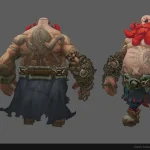



AI concept art can look polished and still be unsafe for game production.
Strong lighting, rich details, and a dynamic pose can make a generated image feel complete. But a finished-looking image is not necessarily a production-ready character concept.
Once the design moves into 3D, problems that were easy to overlook in 2D become harder and more expensive to solve. The style may not match the game. The proportions may work poorly with the intended visual language. The silhouette may be difficult to read, while the costume construction, materials, or smaller details remain unclear.

Making AI concept art production-ready means resolving these issues before modeling begins. The goal is not simply to improve the image, but to give the 3D artist a clear and practical design that supports the game’s style, camera, animation requirements, technical limitations, and budget.
Why AI Concept Art Is Not Always Ready for 3D Modeling
AI-generated concepts can be useful for exploring ideas, moods, characters, and possible visual directions. They allow a team to quickly produce an image and discuss what a character might look like.
The problem is that AI usually creates an image, not a complete production solution.
It may combine elements from different styles, add costume details without clear construction, or use dramatic lighting to hide weak shapes. A character can look convincing from one angle while leaving important questions unanswered.

The 3D artist may still need to determine:
- how the costume elements connect;
- which parts should be separate objects;
- what materials are being represented;
- how the character should look from other angles;
- which details are essential to the design;
- whether the proportions match the project;
- how the costume should behave during animation.
When this information is missing, the artist has to interpret or invent it during modeling. The result may be technically strong but still move away from the intended art direction.
The Common Mistake: Moving Directly From AI Concept to 3D
A common mistake is sending an AI-generated concept directly to a 3D artist without first checking whether it works for the actual game.
The artist can follow the image carefully and still produce a character that feels wrong for the project. This does not necessarily mean the 3D work is poor. The problem may already exist in the source concept.

If the proportions, silhouette, style, construction, or detail hierarchy are unclear in 2D, fixing them after modeling begins will usually cost more. Depending on when the problem is discovered, a design change may affect the sculpt, model, topology, UVs, textures, materials, rigging considerations, or approval direction.
What could have been a focused 2D correction can quickly become a much larger revision.
Common Problems in AI-Generated Character Concepts
Not every generated concept has the same weaknesses. However, several problems appear regularly when AI images are evaluated as real game assets.
Mixed or Incorrect Visual Style
An AI-generated character may combine realistic anatomy, stylized clothing, cinematic materials, and details from different genres. Each part can look attractive on its own, but the character as a whole may not belong to one clear visual system.
This becomes especially noticeable when the design is placed next to existing characters or environments.
Weak Proportions and Silhouette
AI can create plausible anatomy without matching the proportions required by the game. The head, torso, hands, legs, or facial features may feel too realistic, too exaggerated, or inconsistent with the rest of the character lineup.
The silhouette may also depend on small details rather than strong primary shapes. As a result, the character loses readability when viewed from the gameplay camera.

Unclear Costume Construction
Generated clothing and armor may appear detailed without having believable construction. Straps can connect to nothing, layers may intersect, fasteners can disappear, and costume elements may change shape without a clear reason.
This forces the 3D artist to decide how the design should work instead of building from defined visual information.
Inconsistent Materials
Metal, fabric, leather, plastic, and other surfaces may blend together or behave inconsistently across the image. Dramatic lighting can make them look convincing at first glance while leaving the actual material direction unclear.
Without clear material separation, texture and shader decisions become harder to control.
Excessive or Unnecessary Detail
AI images often use small details to create visual richness. These elements may work in a close-up illustration but disappear from the actual game camera.
Recreating them in 3D can increase the time required for modeling, UV creation, baking, texturing, and review without adding meaningful value to the player’s experience.
Design Decisions That Do Not Match the Budget
A concept may include complex layers, accessories, materials, or surface details that are unrealistic for the available scope.
The design can look impressive while being too expensive for the intended character tier, camera distance, platform, or schedule.

How to Make AI Concept Art Ready for 3D Production
Before modeling starts, the concept should be evaluated against the real requirements of the project. This does not always require a long concept-art phase. In many cases, a short and focused correction is enough to remove the largest risks.
1. Compare the Concept With the Target Art Direction
The first step is to check whether the generated character belongs to the game’s established visual language.
It should be compared with the project’s references, existing assets, environments, animation style, and intended level of realism or stylization.
What matters is not simply whether the image looks good, but whether it belongs in this particular game.

2. Correct the Proportions and Silhouette
The major shapes should support both the intended style and gameplay readability.
This includes checking the body and facial proportions, the relationship between large forms, and the overall silhouette. The character should remain recognizable without relying entirely on lighting, textures, or small costume details.
A clear silhouette is especially important when players need to identify characters quickly and from a distance.
3. Clarify Costume Shapes and Construction
The main costume elements should have understandable forms and connections.
The 3D artist needs to see where layers begin and end, how separate parts are attached, and which shapes are structural or decorative. Intersections, floating elements, unclear straps, and random generated details should be resolved before modeling.

The concept does not need to explain every seam, but it should provide enough information to prevent the artist from guessing how the major elements work.
4. Define the Material Direction
The image should clearly communicate which areas represent fabric, metal, leather, plastic, skin, or other relevant materials.
These materials need to make sense within the game’s style and support a consistent approach to textures and shaders. Clear separation also helps the team decide where visual complexity is necessary and where a simpler treatment will be enough.
5. Simplify Details That Do Not Support the Game
Not every detail in the generated image needs to be recreated.
The design should be reviewed from the expected gameplay distance. Elements that turn into visual noise, add unnecessary production time, or compete with the primary shapes can be reduced or removed.
This does not mean making the character generic. It means preserving the details that define the design while avoiding complexity that brings little practical value.

6. Check Rigging and Animation Requirements
The concept also needs to support the intended movement of the character.
Large costume pieces, rigid accessories, layered clothing, or elements placed around joints can cause problems during rigging and animation. These areas should be reviewed early to determine whether they need to be adjusted, separated, or simplified.
The exact solution depends on the animation requirements, but the design should not ignore how the character will move.
7. Give the 3D Artist a Clear Direction
The corrected concept should reduce uncertainty.
The artist needs to understand the proportions, major forms, costume logic, material groups, important details, and intended style without making fundamental design decisions during modeling.
The concept does not have to be a perfect standalone illustration. It needs to be clear enough to support production.

AI Concept Art Production Checklist
Before an AI-generated character moves into 3D modeling, the team should answer the following questions:
- Does the concept match the target game style?
- Are the body and facial proportions appropriate for that style?
- Is the silhouette readable?
- Does the design work from the actual game camera?
- Are the main costume shapes and connections clear?
- Can the materials be identified consistently?
- Is the level of detail realistic for the budget?
- Can the artist build the character without excessive guesswork?
- Does the design support the required rigging and animation?
- Does the character fit the project’s existing visual direction?
If several answers remain unclear, the concept should be corrected before 3D work begins.
Matching AI Concept Art to the Target Game Style
AI-generated images can easily drift away from the intended art direction.
A project may require a clean stylized character, while the generated image moves toward realism. A multiplayer game may rely on large, readable shapes, while AI fills the design with small costume elements and surface noise.
The target may also be closer to a Fortnite-like visual language, while the generated result uses different proportions, facial features, materials, or shape language.

The image can still be beautiful. But beauty alone is not enough for game production.
A character has to work as part of a larger visual system. It should feel consistent with the other characters, environments, animation, camera distance, technical constraints, and available budget.
Correcting the style in 2D prevents the team from spending time building the wrong visual direction in 3D.
How VSQUAD Prepares AI Concepts for 3D Modeling
Before an AI concept moves into 3D production, VSQUAD can refine it by hand.
The goal is not to turn it into a perfect standalone illustration, but to resolve the decisions that could otherwise cause confusion or rework during modeling.
Depending on the source image, this may involve correcting proportions and silhouette, clarifying costume construction and materials, removing unnecessary detail, matching the target game style, and checking whether the design supports the intended camera, rigging, and animation requirements.
The correction stays focused on production risks rather than polishing the image purely for presentation.
Even a short concept correction can save much more time later. A few hours spent resolving visual decisions in 2D can prevent days of avoidable revisions in 3D.
Why Correcting the Concept Early Protects the Budget
Changing the visual direction in 2D is usually cheaper than changing it after the character has been built.
Once modeling has started, a major design revision can affect:
- sculpting and modeling;
- topology;
- UV layouts;
- textures and materials;
- rigging considerations;
- animation checks;
- internal and client approval rounds.
Concept correction is therefore not an unnecessary extra step. It reduces the risk of producing the wrong character.
For indie teams, this is especially important because budgets and schedules are usually limited. A polished AI image may appear to be a shortcut, but if it is not ready for production, the time saved early can turn into additional 3D work later.
For larger teams, the same issue affects visual consistency. If several generated concepts enter production without a shared style check, the character lineup can gradually lose its common direction.
In both cases, early correction allows the team to spend its budget on execution rather than avoidable redesign.

The Result: A Clearer Starting Point for 3D Production
A production check gives the team a clearer direction before expensive 3D work begins.
The artist receives a concept that communicates the intended proportions, silhouette, costume construction, materials, and level of detail with less room for interpretation.
This makes the character easier to model, review, and align with the rest of the game. More importantly, it reduces the risk of producing a technically strong model based on the wrong design decision.
AI concept art can be a useful starting point. But before it becomes a 3D character, it should be evaluated as a production asset, not only as an attractive image.
The goal is simple:
Fix the concept while it is still cheap to fix.
Get in touch
Got a project in mind? We usually reply within a day.