


Frame. Another frame. And one more. This is exactly how “Bambi,” “Aladdin,” and “The Lion King” were created – one drawing at a time. No magic, no automation. Just an artist, a pencil, and endless patience.
Today, the technique of animation frame-by-frame is experiencing a true renaissance: indie developers, studios, and solo animators are gravitating toward it once again – for its organic feel, its liveliness, and that very “handcrafted” sensation that is impossible to achieve through rigging or 3D.
If you are just starting to explore this topic, this material is for you. We will break down everything: from the what is frame-by-frame animation question and its history to tools, specific steps, and frequently asked questions.

Frame-by-Frame Meaning: What Is It Anyway?
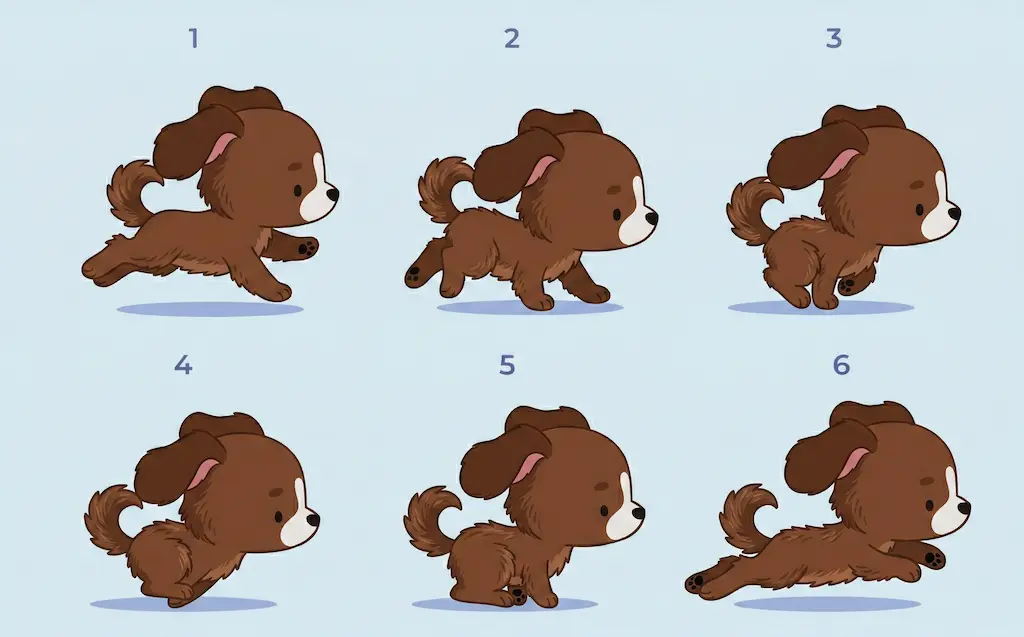
The frame-by-frame animation definition sounds simple: it is a method of creating movement where each individual frame of the animation is drawn by hand. One frame equals one static picture. When these are played sequentially at the right speed, the brain “glues” them into continuous motion. It is an illusion, but a very convincing one.
What is one frame of an animation? Essentially, it is a still image, a snapshot of a specific moment of movement. Technically, it is referred to as a frame of animation or simply a “frame.” When you see 24 such snapshots per second, the character “comes to life.” At 12 frames per second (so-called “animating on twos”), the movement becomes a bit choppier, but the workload is halved.
What is an animation frame called in a professional context? It varies depending on its role. A keyframe captures the main poses. An in-between (or “tween”) is an intermediate frame that ensures a smooth transition between keyframes. Understanding this difference is crucial from the very beginning.
A Little Bit of History: Where It All Began
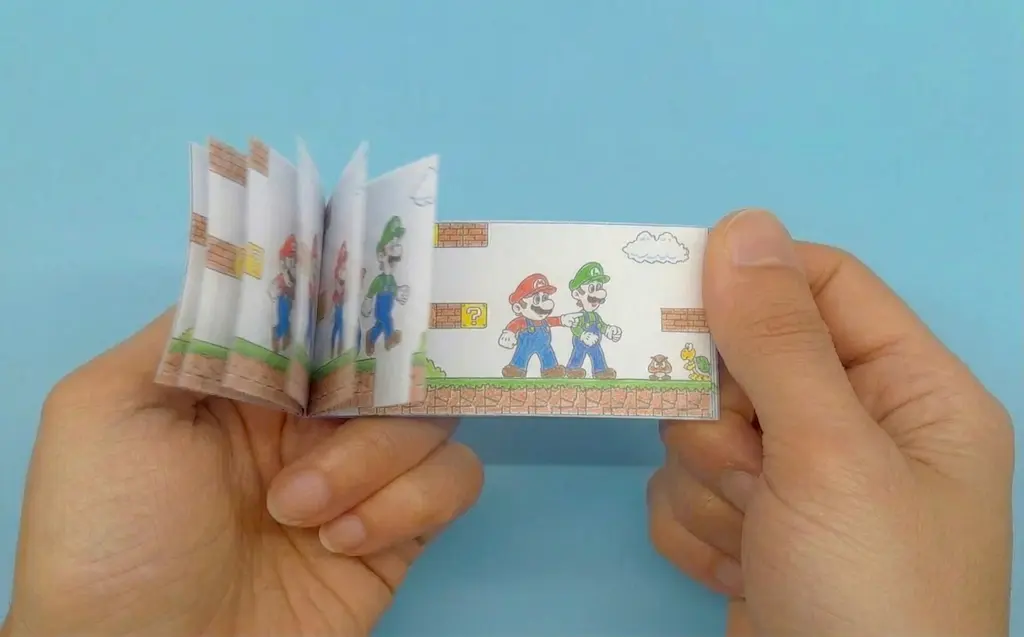
A flipbook – remember that childhood toy where you flip the corner of a notebook and see movement? That is the earliest form of frame to frame animation. Later, celluloid sheets (“cels”) appeared, on which each frame was drawn – hence the term “cel animation.” Frames were photographed, overlaid on a background, and assembled into film.
A real turning point happened at Disney. Ollie Johnston and Frank Thomas, in their book The Illusion of Life (1981), formulated the 12 principles of animation, which are still considered the foundation of the profession. Squash and stretch, anticipation, and follow-through – all of this was born precisely from the practice of how to do frame-by-frame animation, based on observing how movement works in reality.
Digital tools have changed the process technically, but not in essence. Today, a frame-by-frame animator draws on a graphics tablet in TVPaint or Toon Boom Harmony – but every frame is still made by hand.
Types of Frame-by-Frame Animation
Several techniques are hidden under this general term. Here are the main ones:
Traditional (Hand-drawn). The classic. Each frame in animation is drawn on paper or in a digital tool from scratch. This is how almost all iconic cartoons of the 20th century were made. It requires a high level of drawing skill and takes a colossal amount of time.
Stop Motion. Physical objects – dolls, clay figures, or cutouts – are photographed frame-by-frame. Each shot represents a single frame of animation. When played back, the illusion of movement occurs. “Wallace & Gromit” and “The Nightmare Before Christmas” are prime examples.
Rotoscoping. The animator redraws frames of real video over footage. This gives anatomically accurate movement without struggling to maintain consistent physical proportions. The method significantly saves time – especially when you need to animate complex actions like battle scenes, dances, or sports movements.
Flipbook. The most basic form. It is used in education and as a creative experiment but is practically never used in professional production.
Frame-by-Frame Animation Examples: Where It Lives
Frame-by-frame animation examples surround us everywhere – we just do not always pay attention to them.
Anime. I hear the question “is anime hand drawn frame-by-frame?” regularly. The answer is yes; classic anime was created exactly that way. Studio Ghibli and the works of Satoshi Kon are all the results of the manual labor of hundreds of animators. Today, many studios are moving to a hybrid approach, but the classic technique has not gone anywhere.
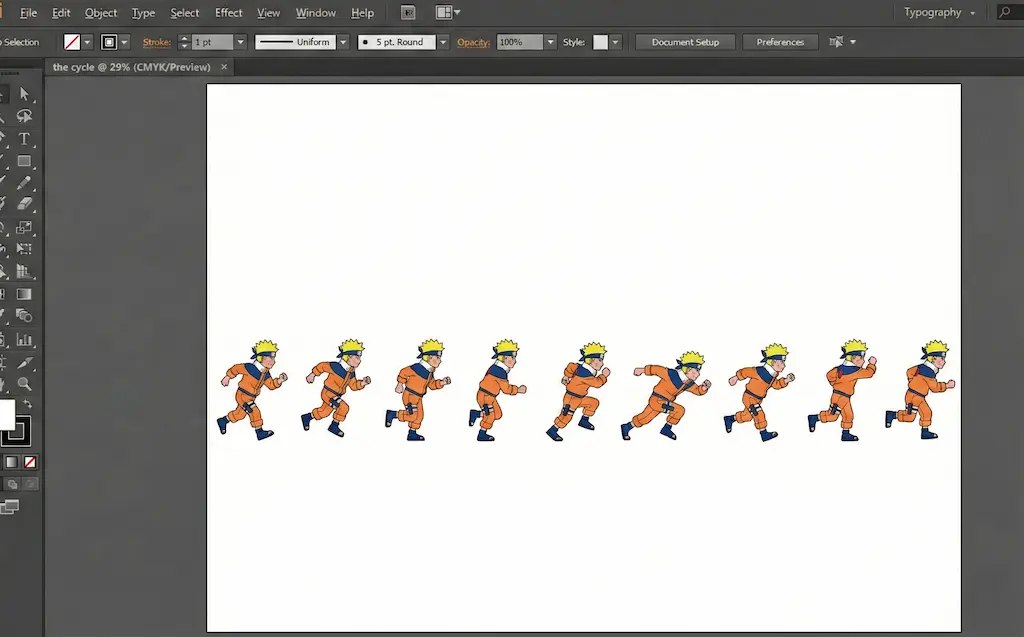
Game Animation. 2D games use these techniques for literally everything: a character’s run cycle, a hit, death, or an idle animation. Every movement is a set of carefully drawn frames. Hollow Knight, Cuphead, and Blasphemous are three great examples of how frame-by-frame animation sets the mood for the entire game.
Advertising and Music Videos. Short animated clips made in this technique immediately stand out against generated content. This is why brands are increasingly returning to it – for the sake of authenticity.
Indie Development. Small teams use frame-by-frame animation to create a recognizable visual style without the massive budgets required for complex rigging and 3D pipelines.
How to Animate Frame-by-Frame: A Step-by-Step Process
The question of how to animate frame-by-frame often intimidates beginners. In reality, the process is structured and quite clear.
Step 1. Concept and Storyboarding. Before drawing even one frame of animation, you need to understand exactly what should move and how. A storyboard captures key moments and determines the rhythm of the scene.
Step 2. Keyframes. The main poses are drawn – the beginning of the movement, its peak, and the finale. This is the skeleton of the entire animation.
Step 3. In-betweening. Intermediate frames fill the space between keyframes. This is where it is decided whether the movement will be smooth or intentionally “stepped” or choppy.
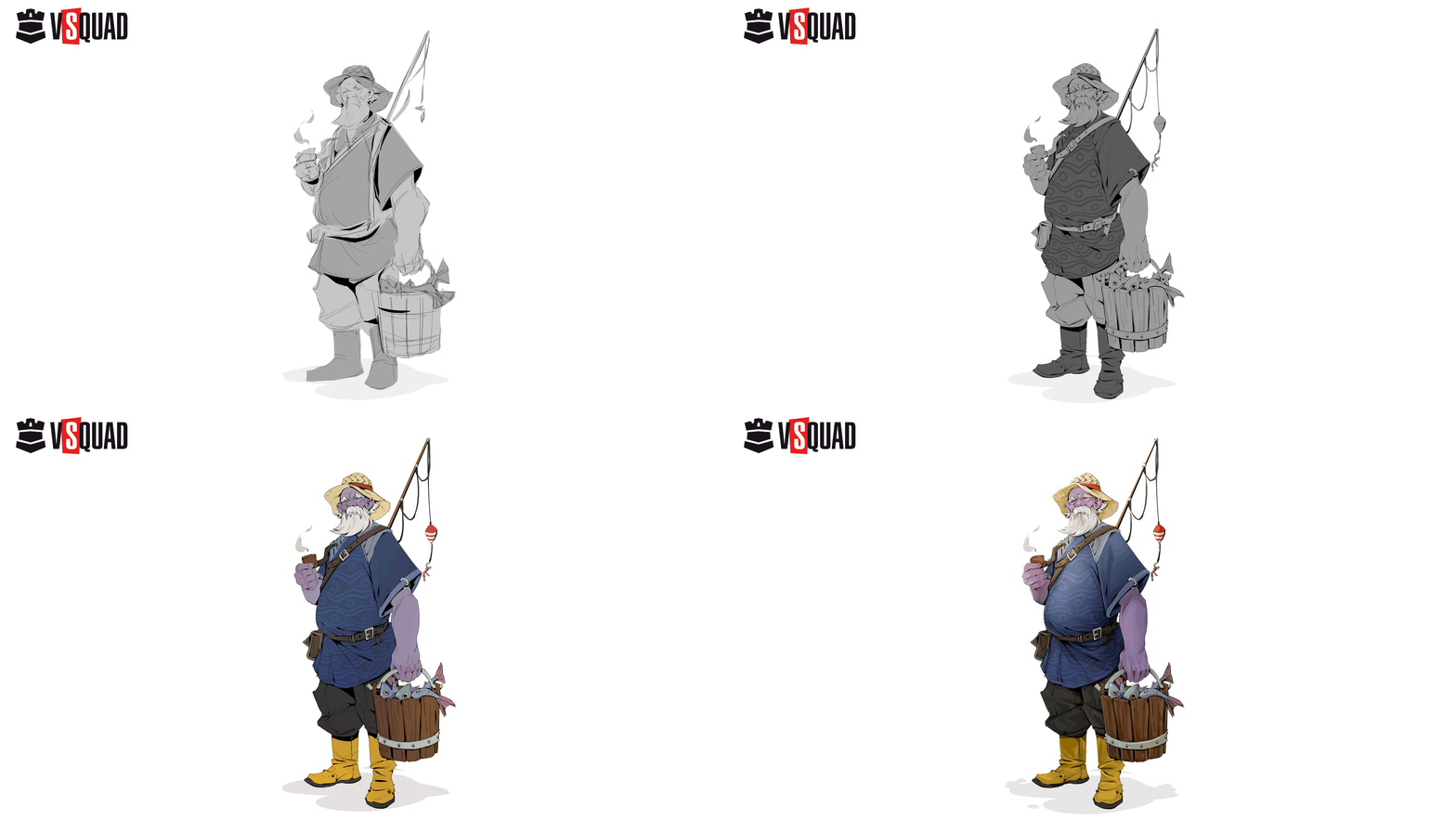
Step 4. Cleanup and Finalization. Rough lines are cleaned up, and color, shadows, and details are added.
Step 5. Assembly and Testing. Frames are assembled into a sequence and played at the required speed. You watch the result – and either enjoy the flow or go back to make adjustments.
There are two main approaches to how to animate frame-by-frame. “Straight-ahead” means drawing sequentially from the first to the last frame, which provides liveliness and unpredictability. “Pose-to-pose” involves drawing key poses first, then the in-betweens, which provides better control and precision. In practice, experienced animators most often combine both.
Frame-by-Frame Production Reference for Game Developers
This table provides technical benchmarks for common 2D game character actions, helping you plan your “animation budget” and frame counts effectively.
| Action Category | Avg. Frame Count (at 24 fps) | Animation Technique | Core Principle to Focus On | Player Perception / Feel |
|---|---|---|---|---|
| Idle (Breathing) | 6 – 12 frames | Pose-to-Pose | Appeal & Staging: Keep the silhouette clear but subtle. | The character feels "alive" and ready for input. |
| Fast Run / Sprint | 8 – 10 frames | Pose-to-Pose | Timing & Weight: Emphasize the "down" position to convey impact. | High energy and responsiveness. |
| Heavy Attack | 15 – 25 frames | Hybrid | Anticipation: Spend 60% of frames on the "wind-up." | Powerful, impactful, and deliberate. |
| Hurt / Hit Stun | 3 – 5 frames | Straight-Ahead | Squash & Stretch: Exaggerate the deformation. | Immediate feedback; "oomph" factor. |
| Elemental VFX (Fire/Water/Magic) | 12 – 24 frames | Straight-Ahead | Arcs & Fluidity: Avoid perfectly symmetrical shapes. | Organic, mesmerizing, and non-mechanical. |
| Death Sequence | 10 – 20 frames | Pose-to-Pose | Secondary Action: Focus on hair, capes, or loose limbs. | Finality and dramatic weight. |
Frame-by-Frame Animation Software: What Professionals Use
There are many tools available today. Here is the real industry breakdown:
Toon Boom Harmony – The industry standard for serious production. It is powerful, flexible, and the choice for most commercial 2D animation.
TVPaint – A favorite among traditional animators. The feeling it provides is as close as possible to drawing on paper. It is excellent for high-quality hand-drawn work.
Adobe Animate – An accessible entry point, especially if you already work within the Adobe ecosystem. It is suitable for web animation and simpler projects.
Clip Studio Paint – Popular among animators who transitioned from illustration and comics. It features a convenient timeline and excellent brushes.
Procreate (iPad) – Great for mobile workflows and experiments. While not a full replacement for professional frame-by-frame animation software, it is an excellent tool for sketches and short scenes.
Toon Boom Harmony remains the standard for major studios for a reason. Recent industry studies, including those presented at ICAIP 2024, confirm that manual keyframe drawing still surpasses algorithms in terms of expressiveness and artistic accuracy – which is why professional tools remain oriented toward the artist rather than total automation. If you plan to work seriously in the industry, start with Toon Boom.

Fun Fact
One of the most labor-intensive films in history is DreamWorks’ “The Prince of Egypt” (1998). More than 350 animators worked on it, and the number of individual frames exceeded 1,150,000. Despite this, the final runtime is only 99 minutes. This means every minute of screen time required nearly 12,000 hand-drawn frames.
Frame-by-Frame vs. Other Animation Methods
The main competitor is rigged animation. In that method, a character has a skeleton of “bones” that move – meaning nothing needs to be redrawn from scratch. It is faster and cheaper, but often less expressive. Frame-by-frame animation wins where organic movement is vital: unusual body deformations, complex facial expressions, and the classic squash and stretch.
3D animation is a different story. It also uses keyframes, but the artist manages three-dimensional objects rather than drawing every single image. A hybrid approach – using 2D characters on 3D backgrounds – is now actively used in indie development because it allows maintaining the unique character of frame-by-frame animation without the overwhelming volume of total manual work.
Speaking of manual work and professional teams: VSQUAD Studio, founded in 2015, specializes in outsourcing 2D and 3D game graphics, animation, and VFX. We help developers worldwide – from indie teams to AAA projects – build efficient pipelines without sacrificing quality. Our specialty is integrating into your process within 48 hours, providing a full team of artists, animators, and technical specialists. Among the projects VSQUAD Studio has contributed to are Wayfinder, Darksiders Genesis, Battle Chasers, Ruined King, and SMITE. The studio was honored with the Consumer Choice 2024 award as a leader in the integrated creative services market.
FAQ
It is a method where every frame of an animation is drawn separately. When these frames are played quickly one after another, the illusion of movement is created. The more frames per second, the smoother the resulting motion.
There is no single “official” term. People commonly say “frame” or “shot.” Keyframes define the primary poses, while in-betweens (or “tweens”) bridge the gaps to create fluid motion.
In the case of classic anime, yes. Studios like Ghibli drew every frame by hand. Modern studios more frequently use a hybrid approach where keyframes are drawn manually, and part of the “in-betweening” process is assisted by software.
For professional production, Toon Boom Harmony or TVPaint are the leaders. For beginners, Adobe Animate or Clip Studio Paint are excellent starting points. On a tablet, Procreate is the top choice. The selection depends on your specific goals, budget, and personal preference.
In frame-by-frame animation, every frame is drawn anew. In rigged animation, the character has a digital skeleton that is moved without the need for constant redrawing. Frame-by-frame offers more expressiveness, while rigging offers speed and consistency.
Yes, you can. While basic drawing skills are helpful, understanding movement, timing, and the fundamental principles of animation is more critical. Start with a flipbook or simple exercises in free software, study Disney’s 12 principles, and keep practicing.
Bringing Your Vision to Life One Frame at a Time
Frame-by-frame animation is neither archaic nor merely a source of nostalgia. It is a living tool with unique expressive possibilities that no other method can replicate. If your project requires character, organic movement, and a unique visual voice, frame-by-frame animation is exactly what you need. And if you need a professional team to bring it to life contact us → 📩 head@vsquad.art or schedule a call.
Get in touch
Got a project in mind? We usually reply within a day.